
Community and events
· Discord botWhat the bot runs for your community. Each feature is switched on, with its channel, on the dashboard's Features page; giveaways and auctions are created on the Events page.
Giveaways
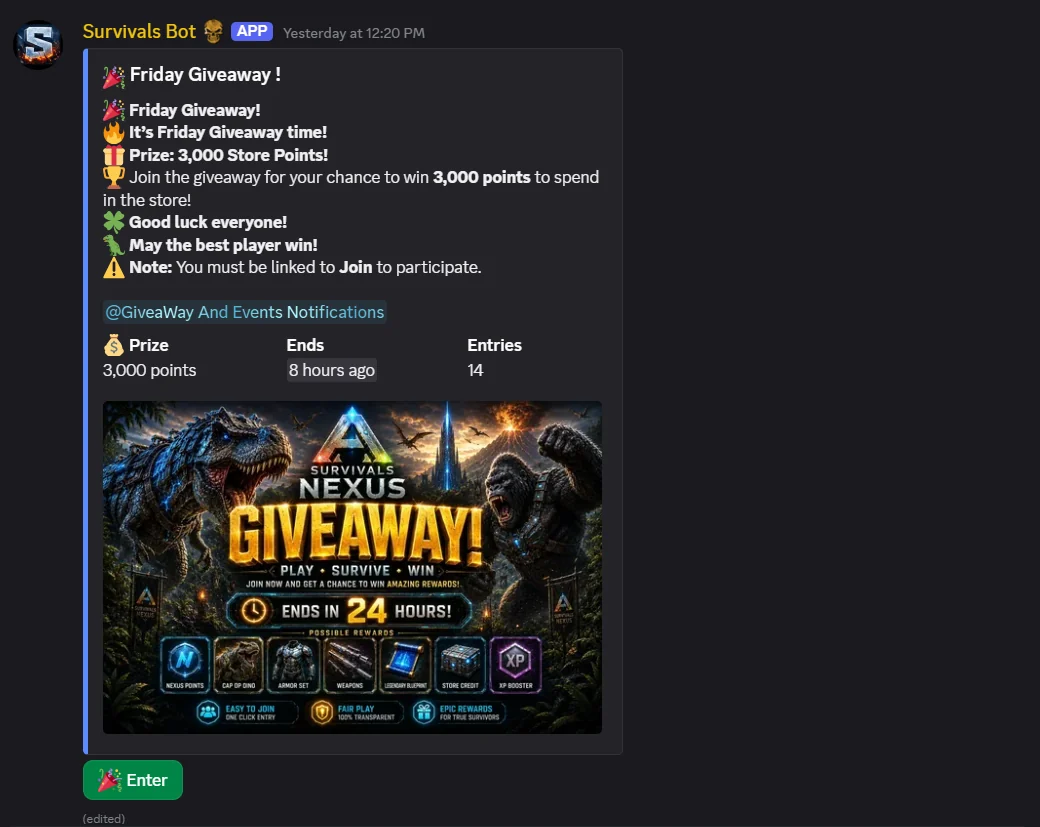
A giveaway shows its prize, when it ends and how many members have entered. Members press Enter, once each; only linked members can enter, and a giveaway for one game needs that game linked. Players can also enter from game chat with /ge. When it ends, DodoReaper HQ draws the winner and delivers the prize in game. Giveaways need a paid plan.
Auctions
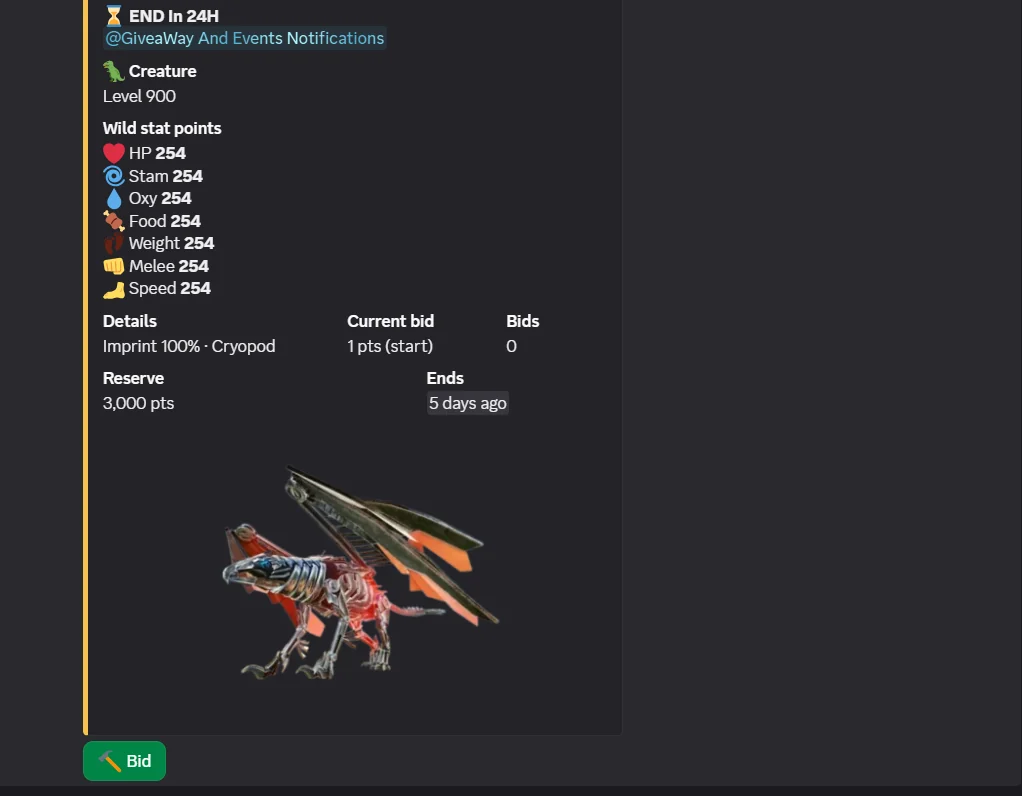
An auction shows what is for sale, here a creature with its level, its wild stat points and how it is delivered, then the current bid, the number of bids, the reserve price and when it ends. Members press Bid and offer shop points; bidding needs a linked account. When it closes, HQ delivers the prize to the winner in game. Auctions need a paid plan.
Suggestions
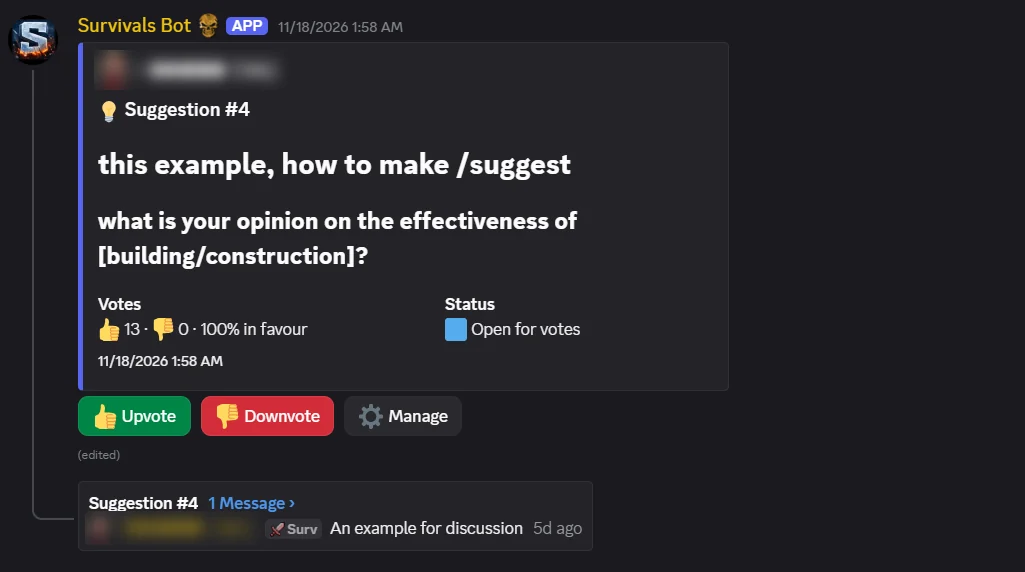
/suggest opens a form, and the bot posts the suggestion in your suggestions channel with Upvote and Downvote and, if you turned it on, a thread for the discussion. Each member has one vote; pressing the same vote again takes it back. Staff press Manage to set a status, with a reason: under consideration, approved, implemented or denied. A final status closes the voting, and the author is told by DM.
Invite tracking
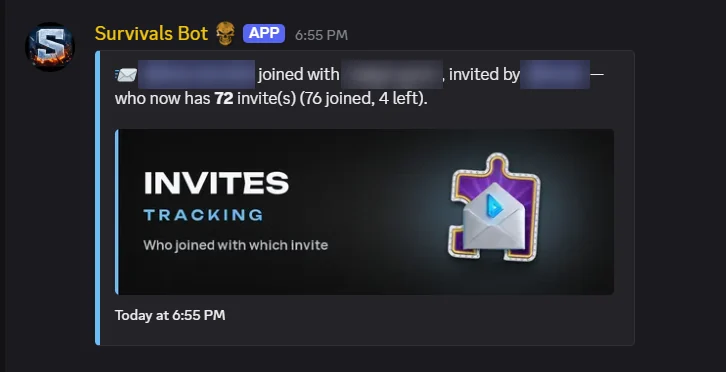
When someone joins, the bot posts which invite they used, who made it, and that member's count: everyone who joined with their invites, minus those who left. /invites and /invitetop show the counts any time.
Stats channels

The bot keeps a channel's name up to date from a template you write, such as your member count, every 10 minutes. It needs the Manage Channels permission.
Your servers' chat in Discord
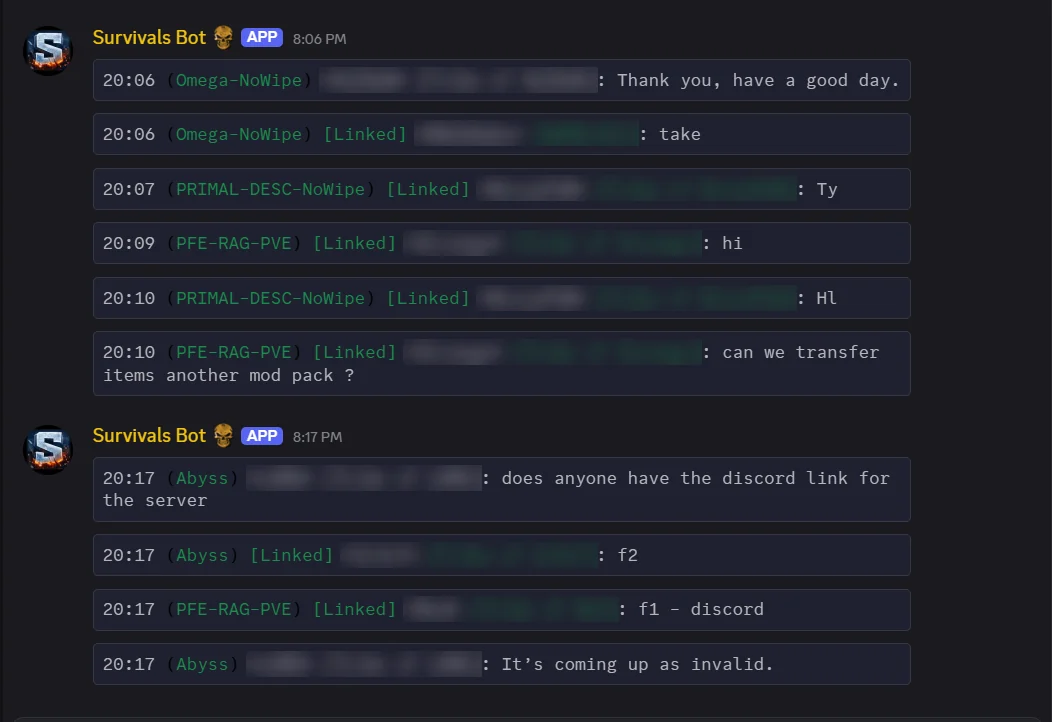
With the CrossChat plugin, your servers' global chat appears in a Discord channel, set on the dashboard's Staff & chat page. Each line shows the time, the server, the player's rank tag (here [Linked]), the player and their tribe. With Discord → game messages on, what members write there goes into the game.
Vote rewards
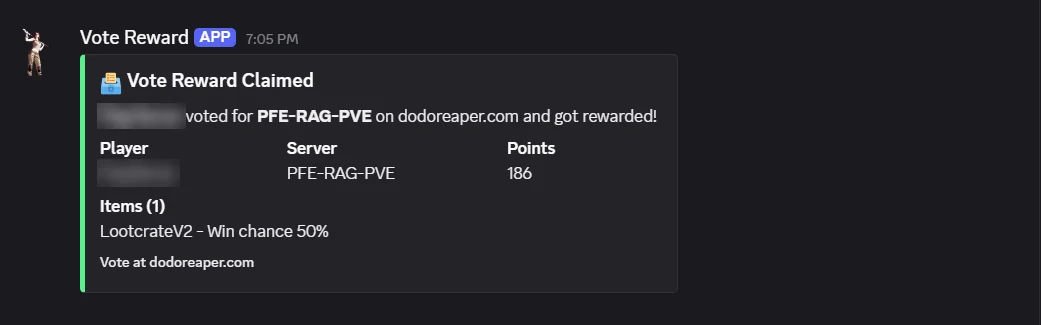
With the VoteRewards plugin, every vote reward a player claims can be posted to Discord: who voted for which server on dodoreaper.com, the points they got and any item they won. The plugin posts it through a Discord webhook set in its configuration; a second webhook can get an admin copy that also shows the player's ID.