
Overview and features
· DodoReaper RewardsPREMIUMDodoReaper Rewards gives players on an ARK: Survival Evolved or Ascended server two kinds of reward: daily rewards that players claim on Discord or your website, delivered in game, and loot boxes you hand out by command. Both can draw random prizes from shared reward tiers. This edition can deliver a creature in a soul ball as well as in a cryopod.
Why server owners use it
| The problem | Daily rewards and loot boxes usually mean many plugins and manual giving. |
| For example | A VIP claims the daily reward on Discord and gets it in game; on Friday you give every online player a loot box with one command. |
| What sets it apart | Daily rewards by rank from Discord and your website, and loot boxes, all drawing from shared reward tiers. |
At a glance
| Plan | Premium |
| Editions | ASE v1.8.4 · ASA v1.6.6 |
| Commands | 5 commands |
| Settings | 59 settings |
| Plugin pages | ASE edition · ASA edition |
Daily rewards
- The Daily Points, Daily Rewards and Daily Loot Box buttons on Discord and the website each give one reward you define under
Rewards. TheDailysection says which. - A reward holds items, creatures and console commands, each entry for the permission groups it names, with a cooldown in hours per group. The shortest cooldown of the player's groups applies.
- Ranks come from
GroupPriority. A player in several ranks is paid only at the rank with the highest number, plus whatDefaultgets, so a player holding VIP and MVP is paid once. - An entry can name one exact blueprint or a tier. A tier is rolled at the moment of delivery, so two players claiming the same reward do not receive the same thing.
- With
MinRewardsandMaxRewardsa reward becomes a random pick of that many entries, never the same entry twice whilePreventDuplicateRewardsis on. Rewards.Give <player id> <reward key>queues one reward for a player from the server console, with no cooldown.- Without an
ApiKeythere are no daily rewards from Discord or the website; the loot box commands still work.
Loot boxes
ASE edition
GiveLootBox <box> <player id>gives a box to one player,GiveLootBoxGroup <box> <rank>to every online player in a permission group, andGiveLootBoxAll <box>to every online player. A box is named by its key or itsId. All three work from the server console and over RCON, and answer with what happened.- A player who is offline gets the box queued and receives it on their next join.
- Each box rolls between a minimum and a maximum number of prizes by weight: creatures with a level range, gender, imprint, a saddle and bonus stat points, items with an amount, a quality range and a chance of the blueprint, or a console command.
- An entry's
PermissionGroupslimits it to those groups;"*"means everyone. - A box can be handed over as a placeable item. Placing it builds a container that holds that box's prizes, and opening it moves everything into the player's inventory. The box cannot be dropped or looted, never spills, and an unopened box is kept at least an hour.
ASA edition
GiveLootBox <box> <player id>gives a box to one player,GiveLootBoxGroup <box> <rank>to every online player in a permission group, andGiveLootBoxAll <box>to every online player. A box is named by its key or itsId. All three work from the server console and over RCON, and answer with what happened.- A player who is offline gets the box queued and receives it on their next join.
- Each box rolls between a minimum and a maximum number of prizes by weight: creatures with a level range, gender, imprint, a saddle and bonus stat points, items with an amount, a quality range and a chance of the blueprint, or a console command.
- An entry's
PermissionGroupslimits it to those groups;"*"means everyone. - A box can be handed over as a placeable item. Placing it builds a container that holds that box's prizes, and opening it moves everything into the player's inventory.
Reward tiers
Tiers are named pools of blueprints for creatures and items. Write a pool once and use it as Category:TierName in a daily reward or a loot box. A tier that is missing or empty delivers nothing.
Next
- Commands: every command, for players and for admins.
- Configuration: every setting with its default.
- Install and editions: how to install it, and what differs between ASE and ASA.
In Discord
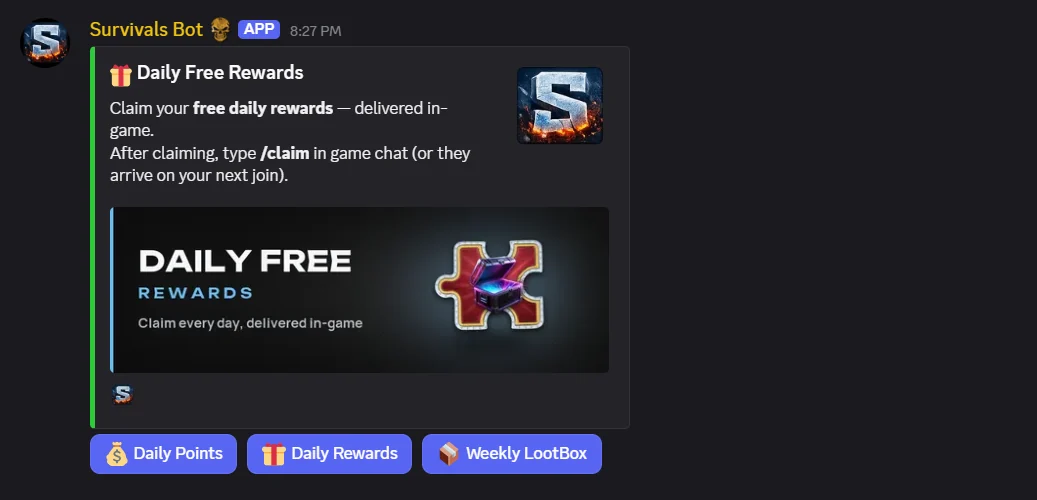
The daily buttons in your Discord. Each gives the reward set for it under Rewards, by the player's rank. See Panels.