
Discord settings
· Hosting dashboardThese pages set up the Discord bot that DodoReaper HQ runs in your Discord server.
Bot & status
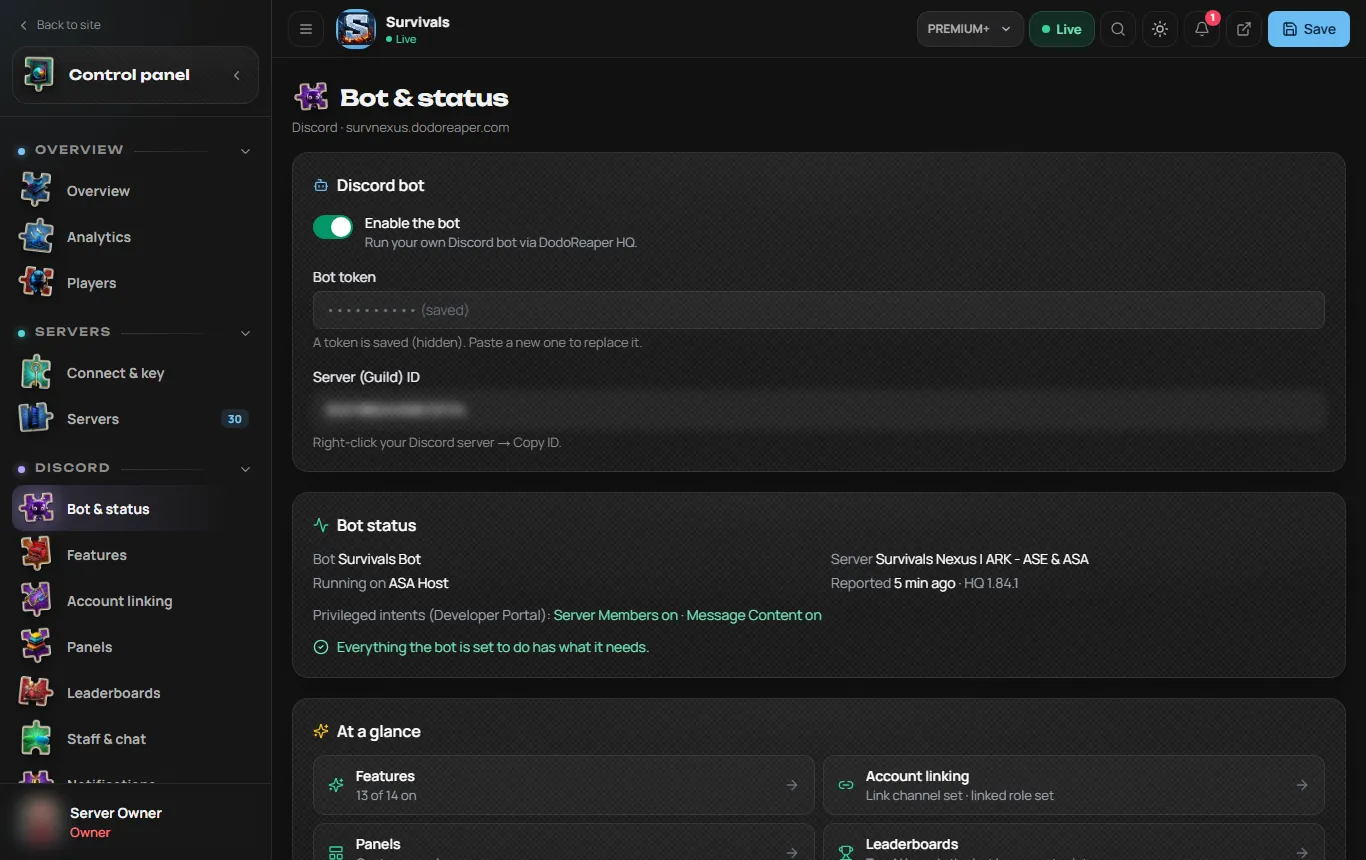
- Enable the bot runs your own Discord bot through DodoReaper HQ. Paste the bot token (it stays hidden once saved) and your Discord server's ID (right-click the server, then Copy ID).
- Bot status shows the bot's name, your Discord server, which HQ machine runs it, when it last reported, the HQ version, and whether the privileged intents it needs (Server Members, Message Content) are on in the Discord Developer Portal.
- At a glance sums up the other Discord pages.
Features
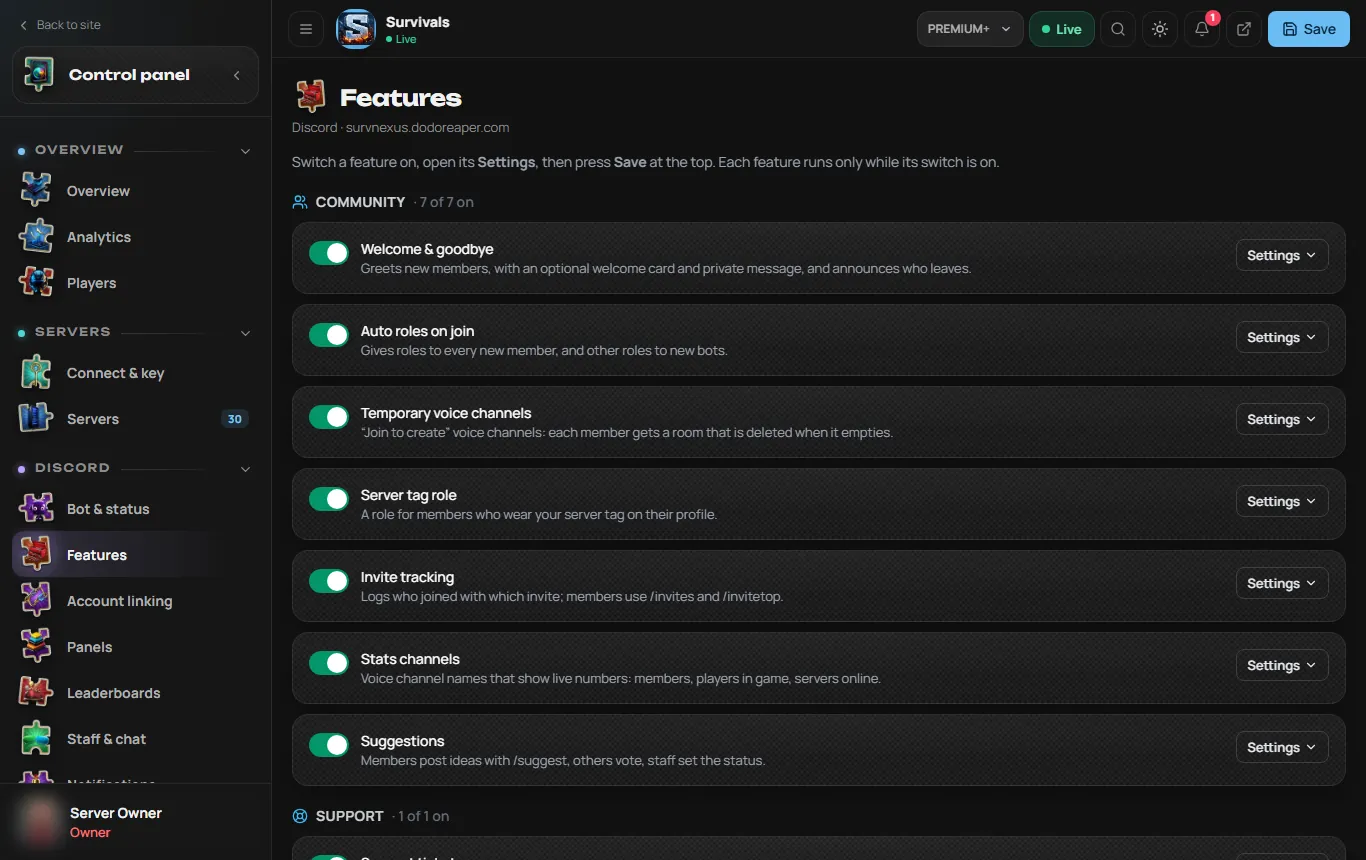
Switch a feature on, open its Settings, then press Save at the top. A feature runs only while its switch is on.
| Group | Features |
|---|---|
| Community | Welcome & goodbye, Auto roles on join, Temporary voice channels, Server tag role, Invite tracking, Stats channels, Suggestions |
| Support | Support tickets |
| Moderation & safety | Moderation commands, Auto moderation (Premium), Raid protection (Premium), Server event log |
| Player commands | My stats & characters (/mystats), My shop points (/mypoints) |
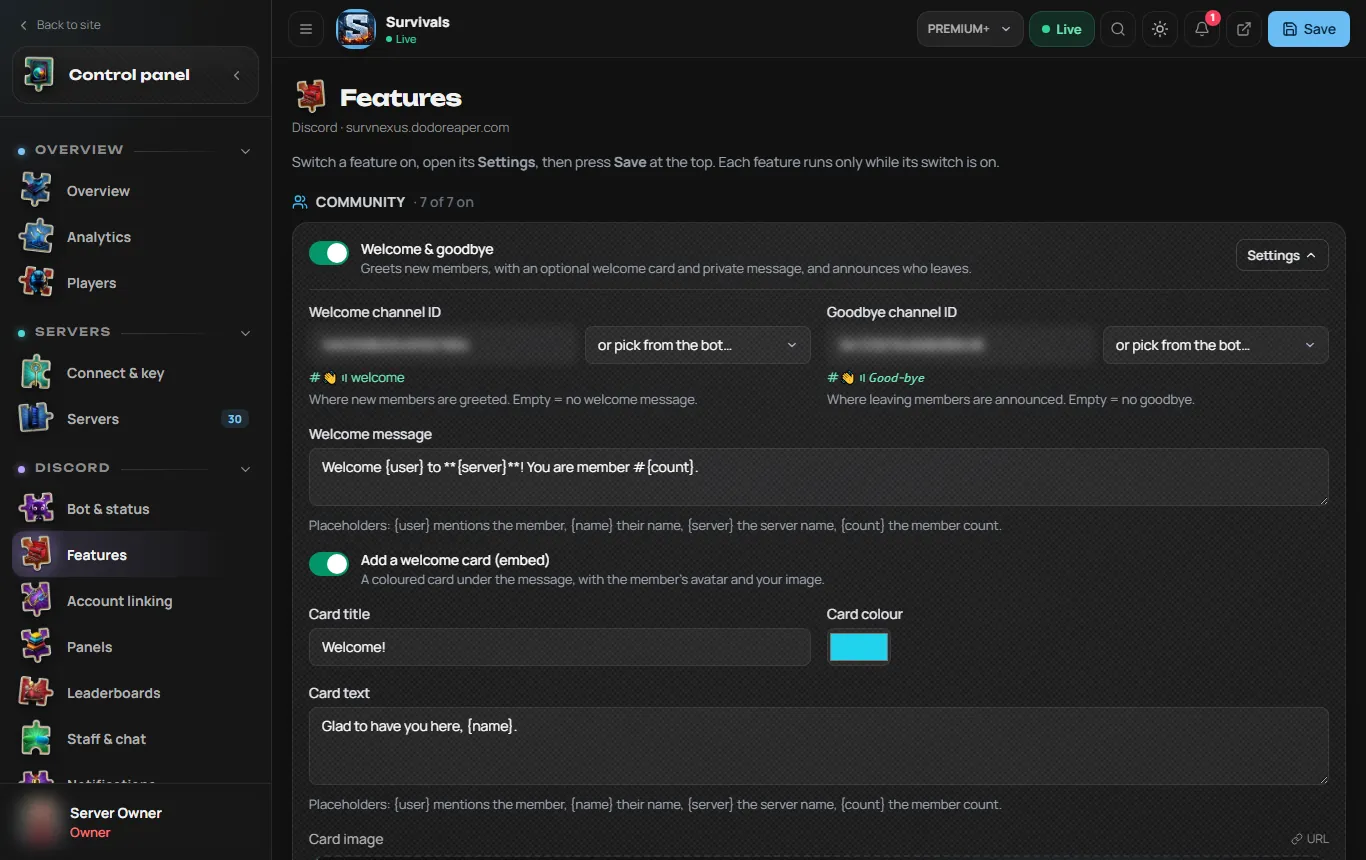
The picture shows Welcome & goodbye opened: the channel for welcomes and the channel for goodbyes (paste an ID or pick from the bot's list), the welcome message with {user}, {name}, {server} and {count}, and an optional welcome card with its title, colour, text and picture. The commands themselves are listed in the bot's Moderation, Player commands and Tickets and voice rooms guides.
Account linking
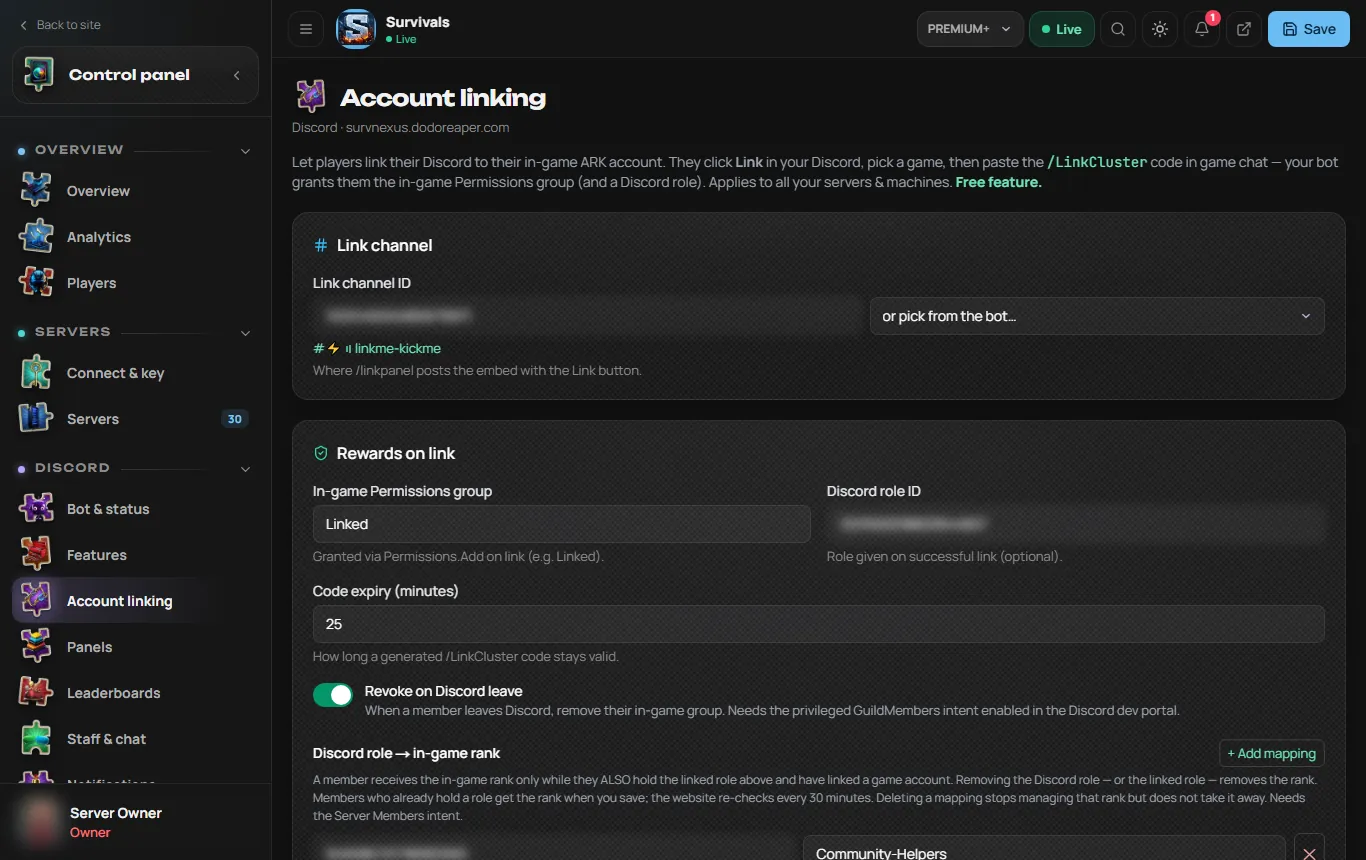
Players link their Discord to their ARK account: they press Link in your Discord, pick a game, then paste the /LinkCluster code in game chat. The bot then gives them the in-game Permissions group and, if you set one, a Discord role. It covers all your servers and machines, and it is free.
- Link channel: where
/linkpanelposts the message with the Link button. - Rewards on link: the Permissions group (for example
Linked), the Discord role, and how long a code stays valid.
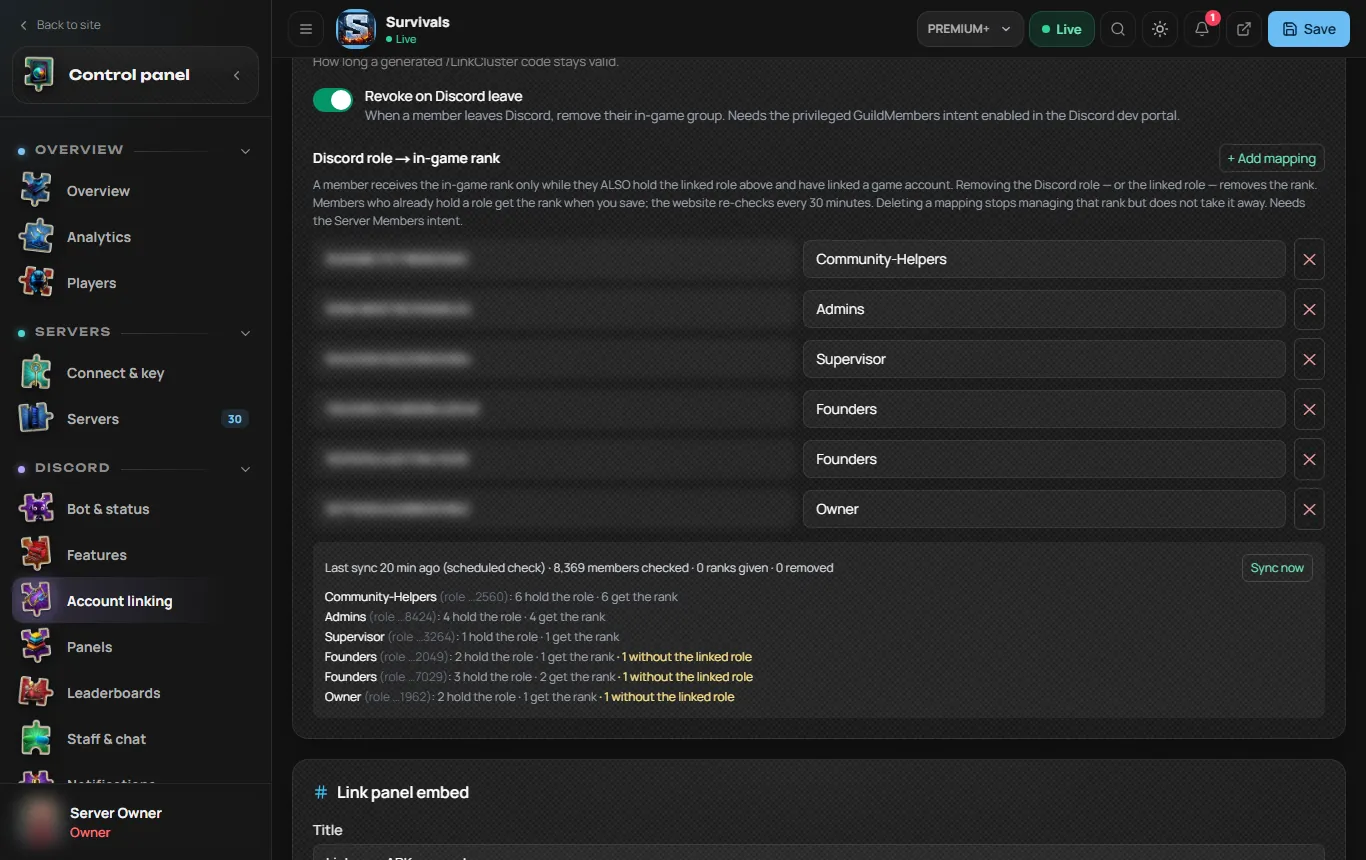
- Revoke on Discord leave takes the in-game group away from a member who leaves your Discord.
- Discord role → in-game rank: a member has the in-game rank while they hold that Discord role and the linked role. + Add mapping adds one. The site gives the ranks when you save and checks again every 30 minutes; the summary under the list shows the last check and, for each rank, how many hold the role and how many get the rank. Sync now checks at once.
- Link panel embed: the title, text and picture of the link message.
Panels
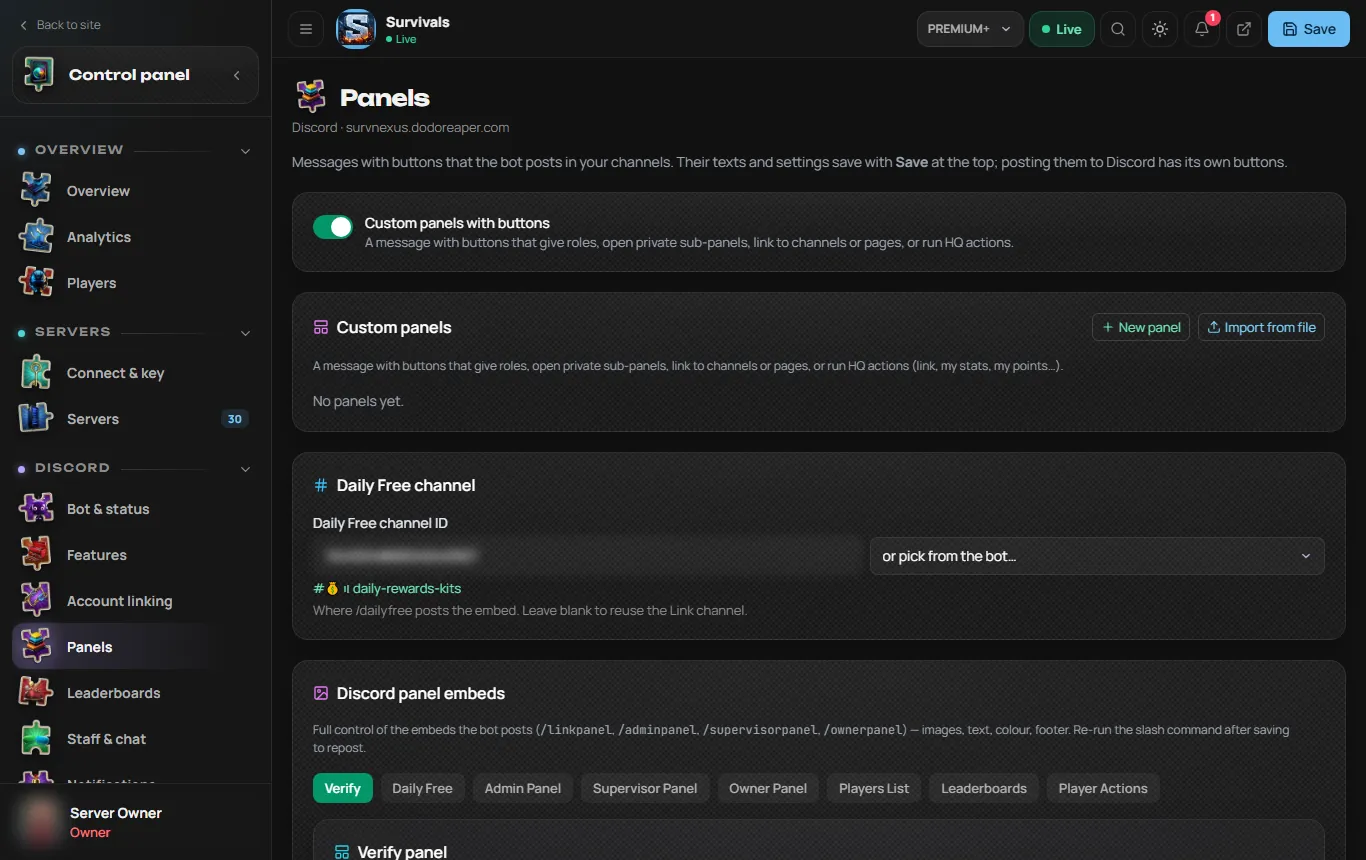
- Custom panels: messages with buttons that give roles, open private sub-panels, link to channels or pages, or run HQ actions such as linking, my stats and my points. New panel creates one and Import from file loads one.
- Daily Free channel: where
/dailyfreeposts its message.
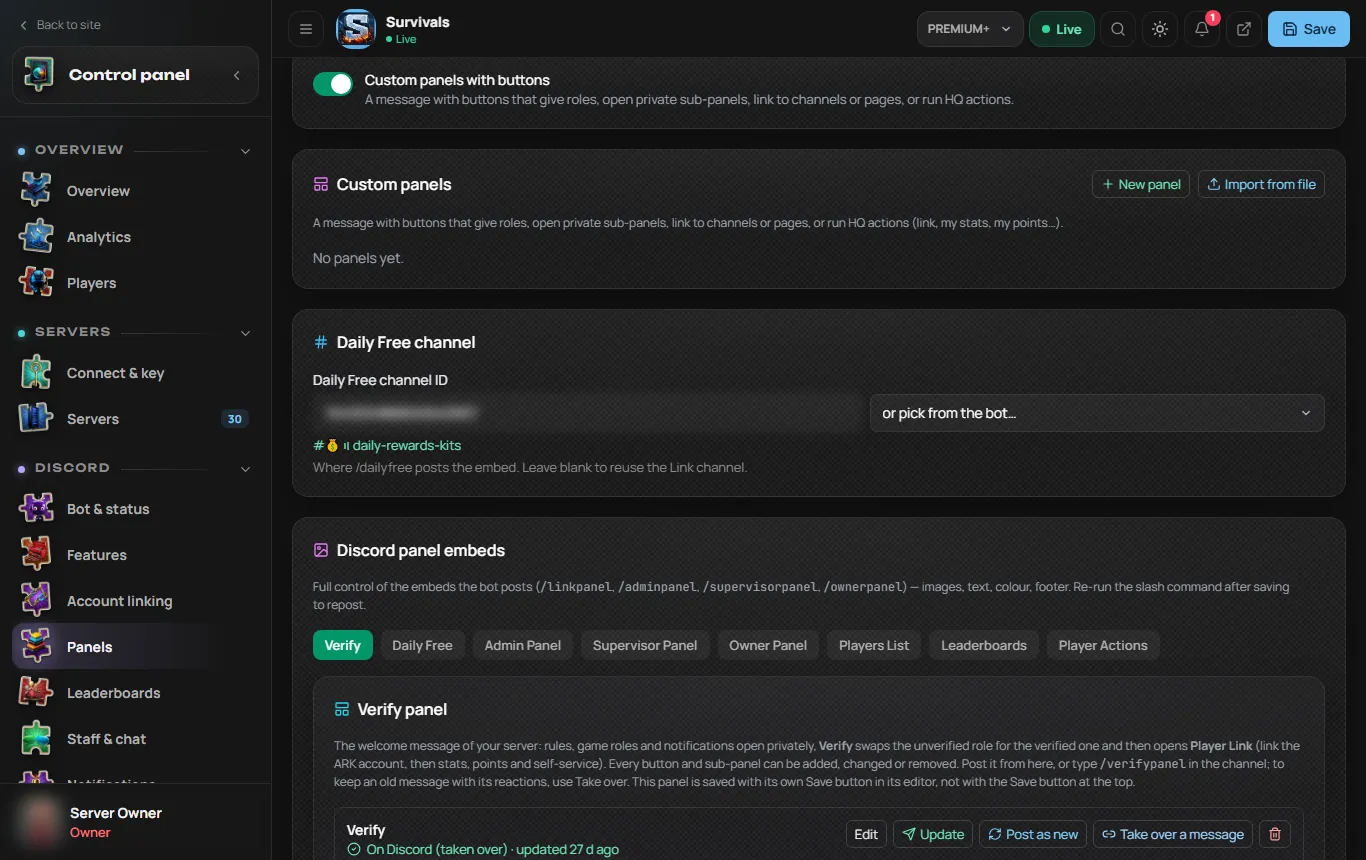
Discord panel embeds sets the picture, text, colour and footer of each panel the bot posts: Verify, Daily Free, the Admin, Supervisor and Owner panels, the players list, Leaderboards and Player Actions. Each panel shows whether it is on Discord, with Edit, Update, Post as new, Take over a message (to keep an old message and its reactions) and delete. The Verify panel has its own Save in its editor. See Panels.
Leaderboards
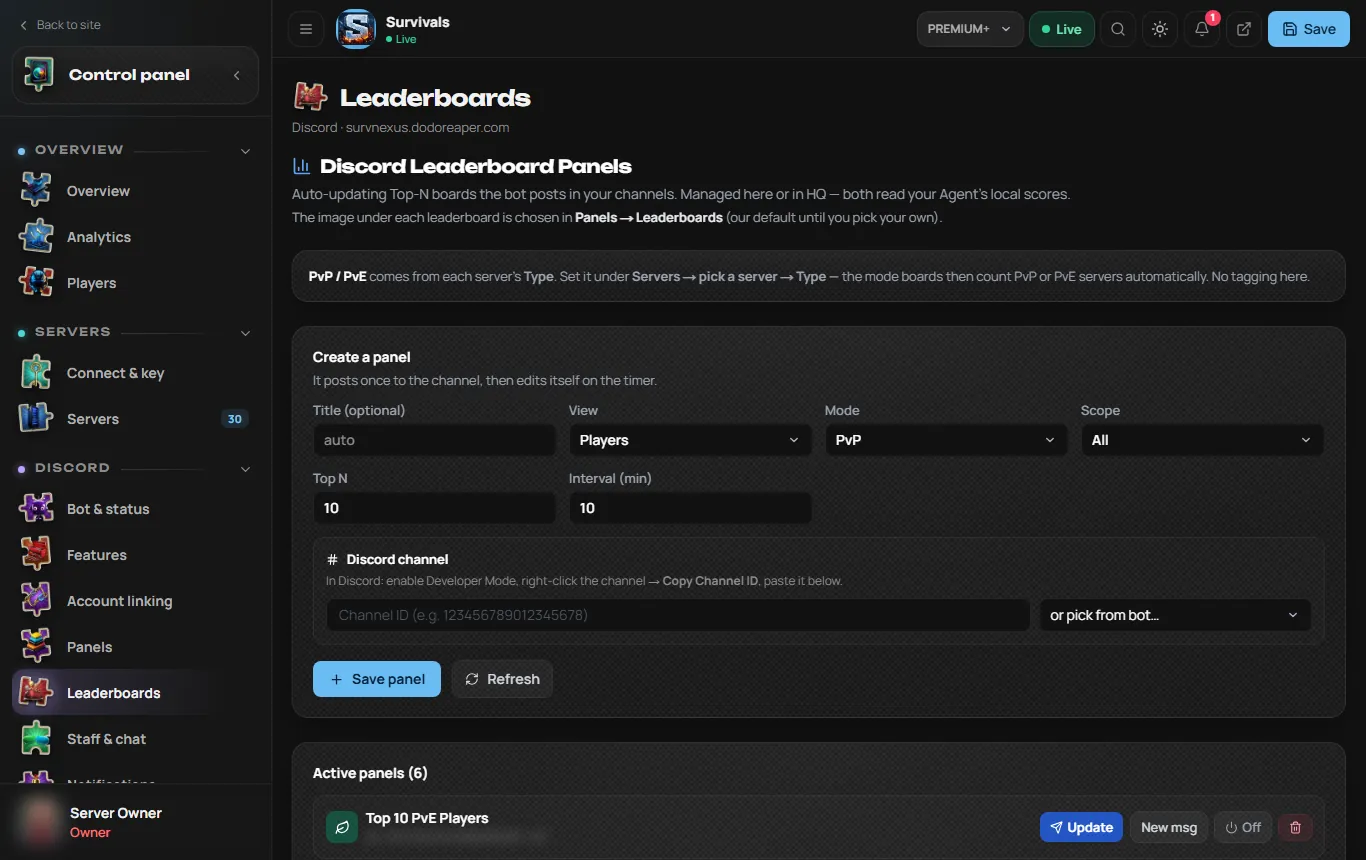
Boards the bot posts once in a channel, then edits on a timer. Choose a title, players or tribes, PvP or PvE, the scope (all servers, a game, a cluster or one server), how many to show (Top N), how often to update and the channel, then Save panel. PvP or PvE comes from each server's type, set under Servers. The same boards can be managed in DodoReaper HQ.
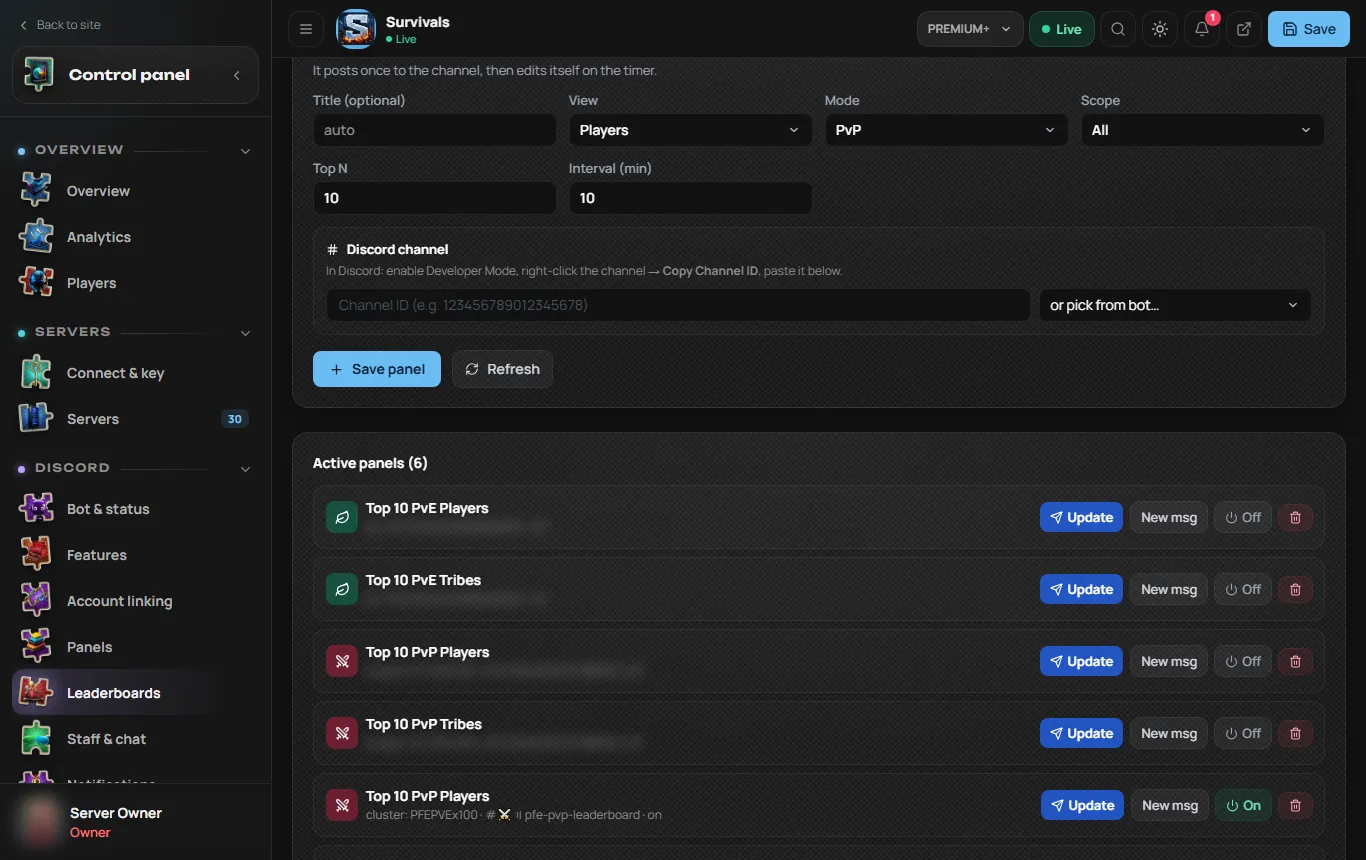
Active panels lists every board with Update, New msg (post it again), On/Off and delete.
Staff & chat
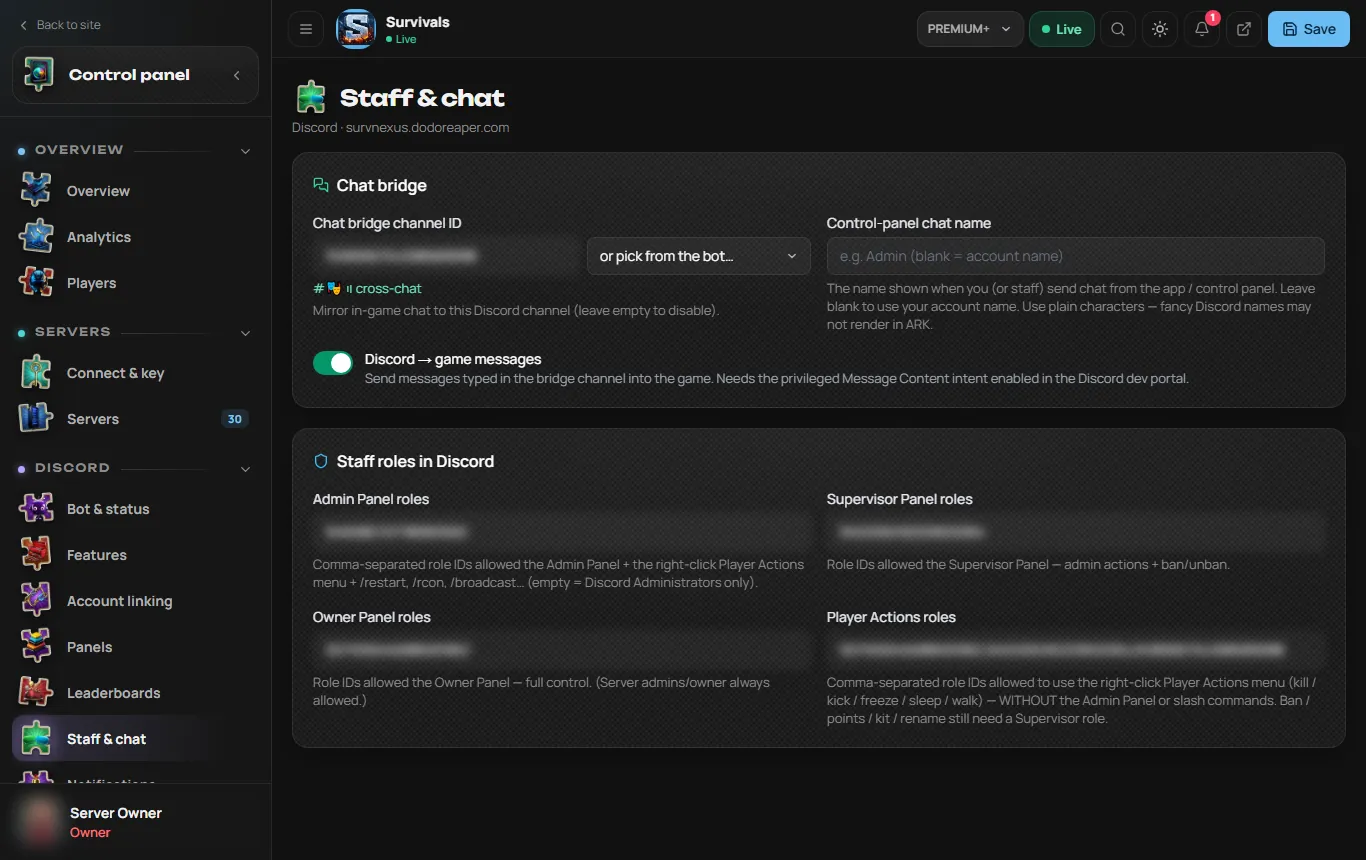
- Chat bridge: the Discord channel that mirrors in-game chat, and the name shown when you write from HQ or from this panel. Discord → game messages sends what is typed in that channel into the game; it needs the Message Content intent.
- Staff roles in Discord: which Discord roles may use the Admin panel, the Supervisor panel, the Owner panel and the right-click Player Actions menu.
Notifications
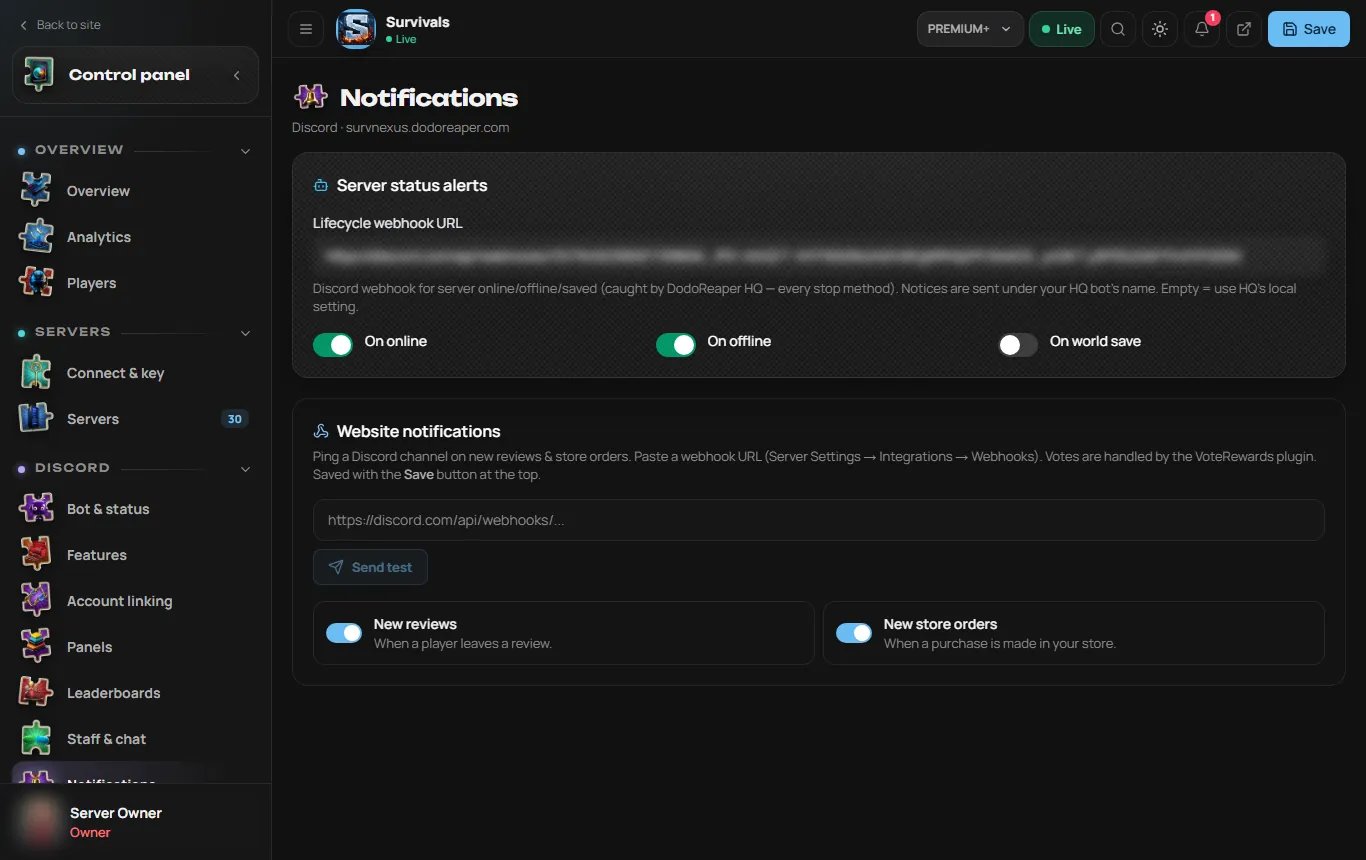
- Server status alerts: a Discord webhook told when a server comes online, goes offline or saves the world. DodoReaper HQ catches every way a server stops.
- Website notifications: a webhook told about new reviews and new store orders, with Send test. Votes are handled by the VoteRewards plugin.