
Overview
· DodoReaper HQDodoReaper HQ is the desktop app that runs on the machine with your ARK servers. It finds the servers on that machine by itself, connects the machine to your account with your owner key, installs and edits plugins, and runs your Discord bot. The current version is 1.84.1.
About the pictures
They show the Survivals community, hosted on DodoReaper, at its busiest: 36 servers, 30 of them online, 103 players online. Player names, ids, emails, addresses, keys and sales figures are blurred.
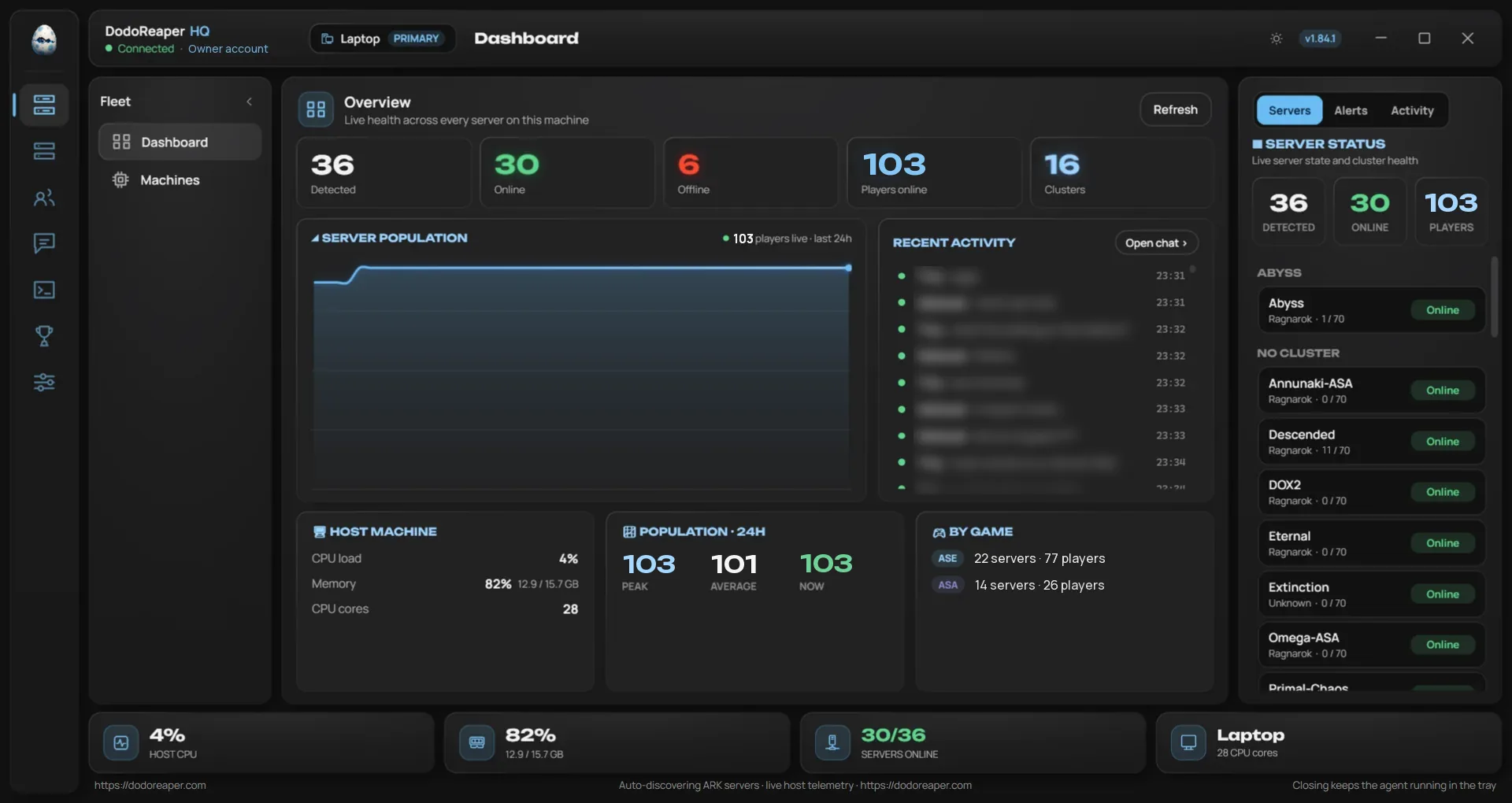
The window
- The left rail opens the seven groups: Fleet, Servers, Players, Chat, Operate, Events and Set up. Most groups have a column of their own pages beside the rail.
- The page in the middle.
- Server status on the right, on every page: servers detected, online and players online, then each server by cluster with its map, players and state. Its Alerts tab lists servers going online, offline and saving, and Activity lists what HQ itself has done since it started.
- The bottom bar: this machine's processor and memory use, how many servers are online, and the machine's name and processor cores.
- Closing the window keeps HQ running in the tray; your servers stay monitored.
Dashboard
- Detected, Online, Offline, Players online and Clusters for every server on this machine.
- Server population: players online over the last 24 hours.
- Recent activity: the latest in-game chat, with Open chat for the full history.
- Host machine: processor load, memory used and processor cores.
- Population · 24h: the peak, the average and the number now.
- By game: how many ASE and ASA servers, and the players on each.
Machines
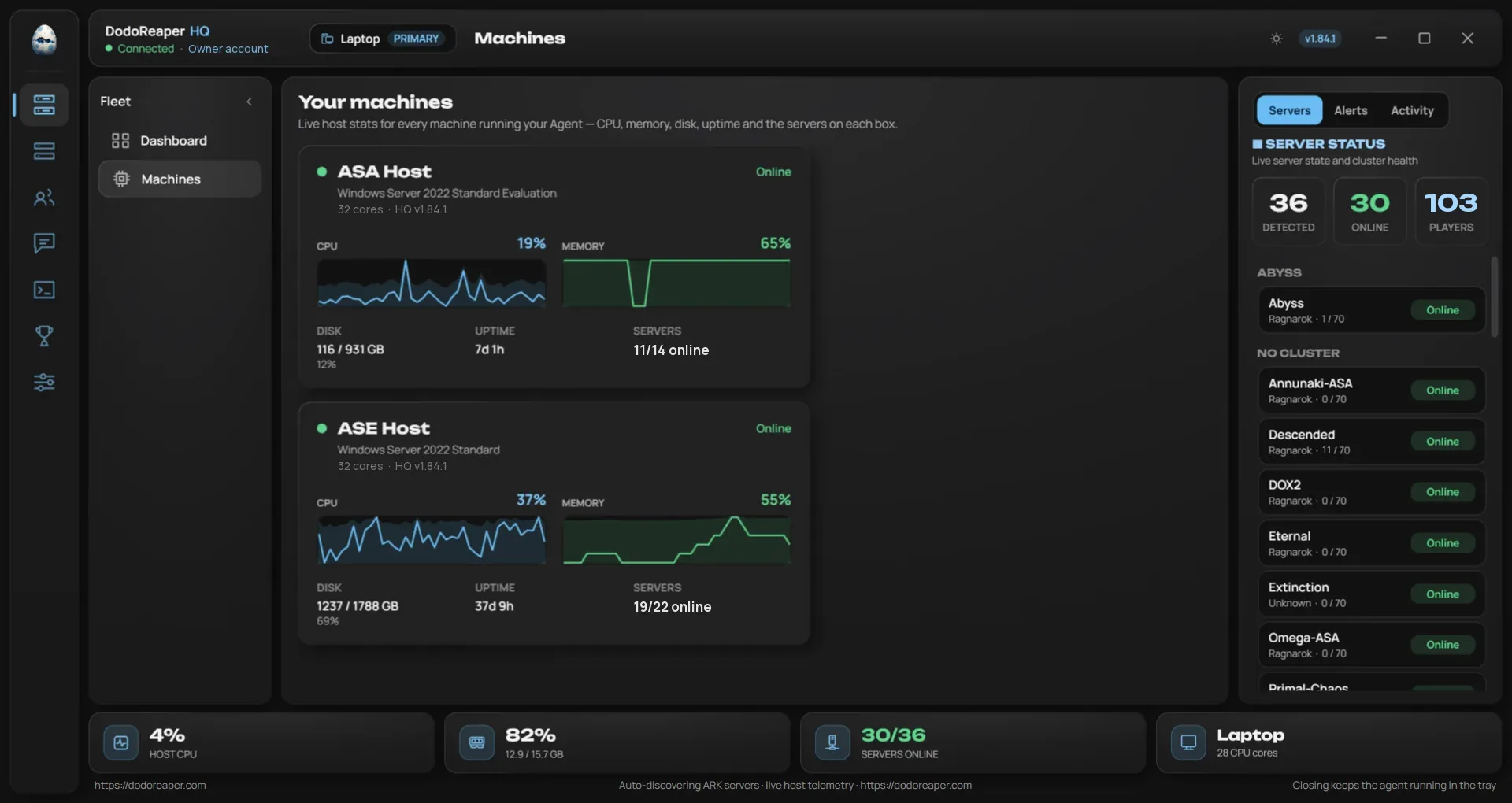
Every machine running HQ with your key: its Windows version, processor cores and HQ version, live processor and memory graphs, disk use, uptime, and how many of its servers are online. The number of machines your plan allows is shown on the dashboard's Connect & key page.
The pages
| Group | Pages | Guide |
|---|---|---|
| Fleet | Pages: Dashboard, Machines | This page |
| Servers | Pages: One page per server: Overview, Plugin settings, Console, Crash log | Servers |
| Players | Pages: Players, Tribes, Ban manager, Freeze manager, Protection | Players and tribes |
| Chat | Pages: The chat bridge | Chat |
| Operate | Pages: RCON Console (Commands, Schedules, Logs), Guard, Audit Log | Console, Guard and audit log |
| Events | Pages: Tribe Log, Leaderboards, Loot Boxes, Boss event | Events |
| Set up | Pages: Plugin Library, Settings | Plugin Library and settings |
The number of machines you can run HQ on depends on your plan. See Plans.
HQ and the hosting dashboard
HQ and the hosting dashboard on dodoreaper.com work on one account:
- The key you paste in HQ is the one on the dashboard's Connect & key page, and every machine running HQ is listed there.
- The Discord bot runs inside HQ, and its settings are on the dashboard's Discord pages.
- Server staff who control your servers from HQ are invited on the dashboard's Team page.