
Players and tribes
· DodoReaper HQThe Players group has five tabs: Players, Tribes, Ban manager, Freeze manager and Protection.
Players
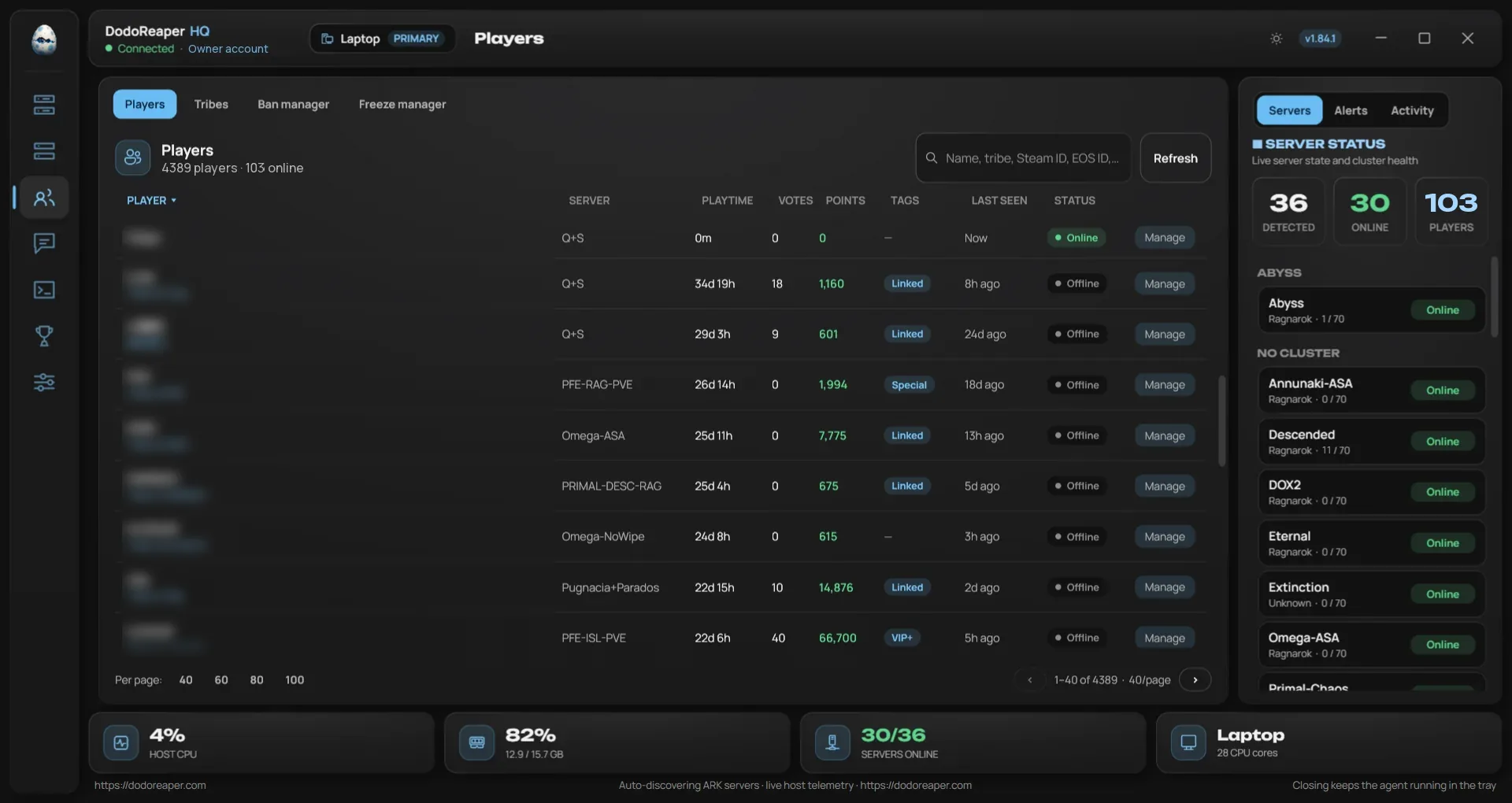
Every player seen on your servers: the server they are on, their playtime, votes and shop points, their tags (such as Linked or VIP), when they were last seen and whether they are online. Search by name, tribe, Steam ID or EOS ID. Manage opens the actions for that player:
- Add points and Get points: give shop points, or read a player's balance.
- Change kit: change which shop kit the player owns.
- Rename: change the player's in-game name.
- Freeze and Unfreeze: the player stays connected but cannot move or act.
- Sleep and Wake: force the character to sleep, or wake it.
- Kick: disconnect the player. They can rejoin straight away.
- Kill: kill the character. Whatever it carries drops where it falls.
- Ban: ban the player; the ban then shows in the Ban manager.
Tribes
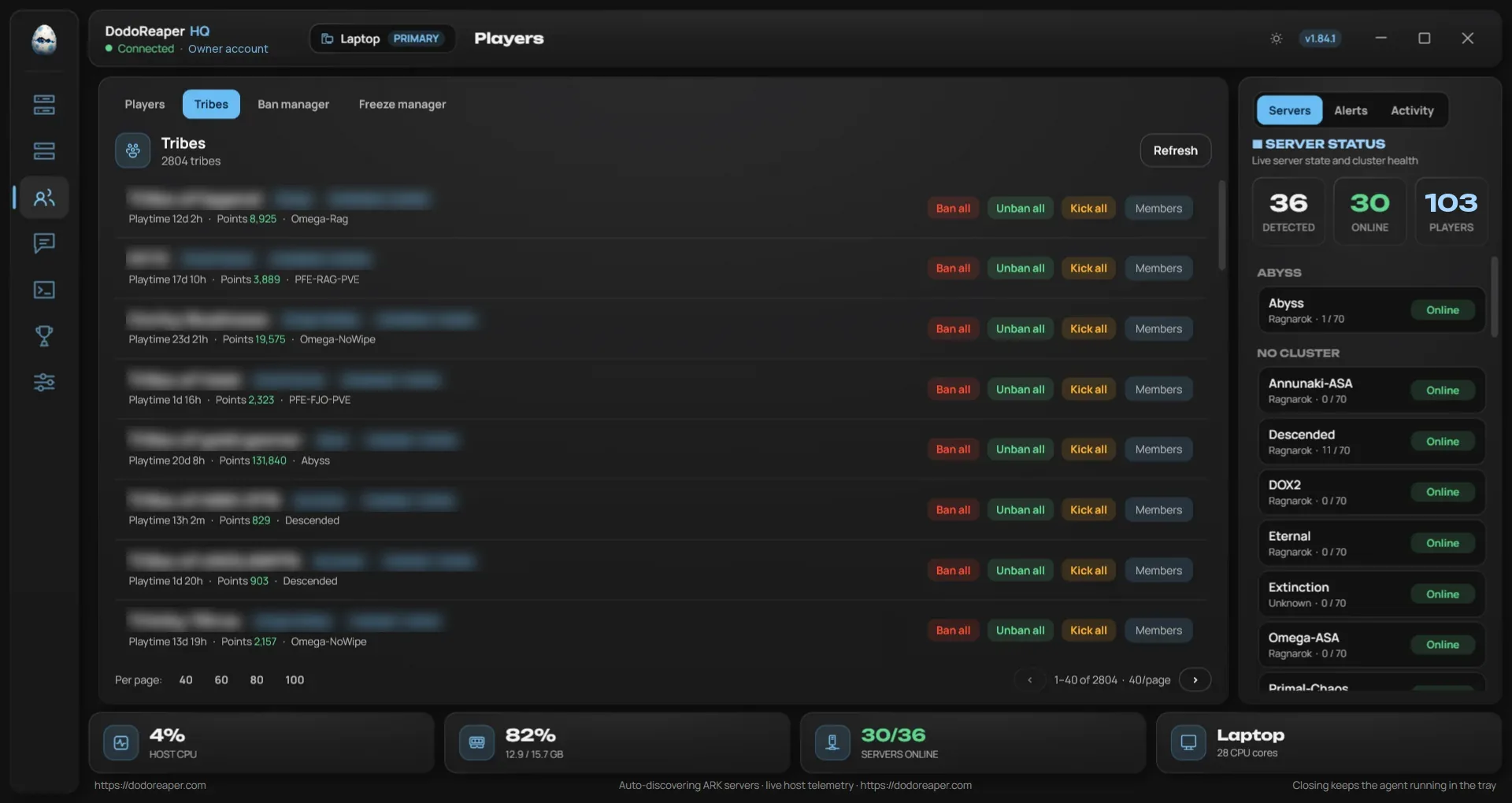
Every tribe with its cluster, its members and how many are online, its playtime, points and server. Ban all, Unban all and Kick all act on every member of the tribe, and Members lists them.
Ban manager
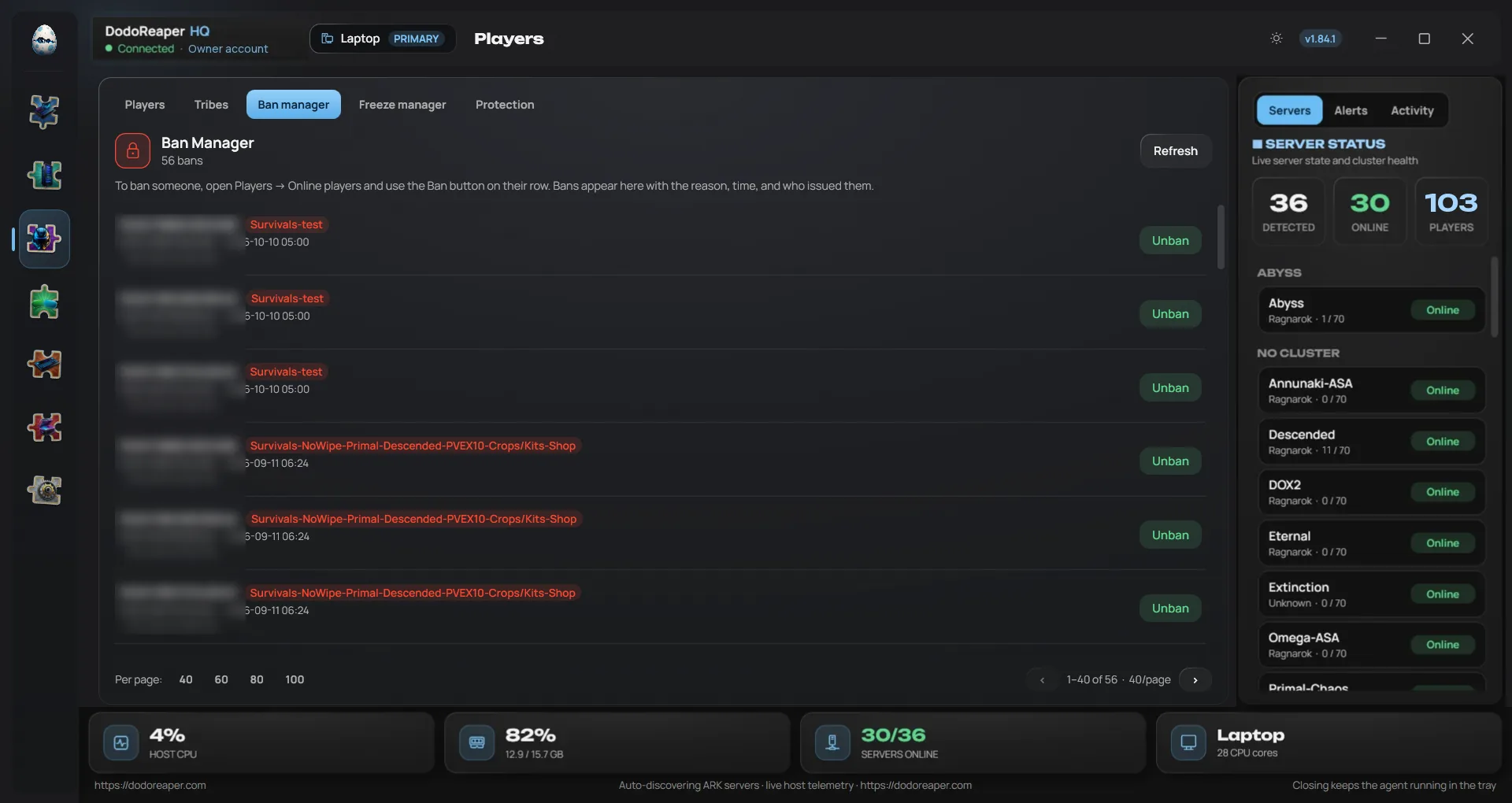
Every active ban, with the server, the time and where it came from. Unban lifts it. To ban someone, open Players, find the player and use Ban on their row.
Freeze manager
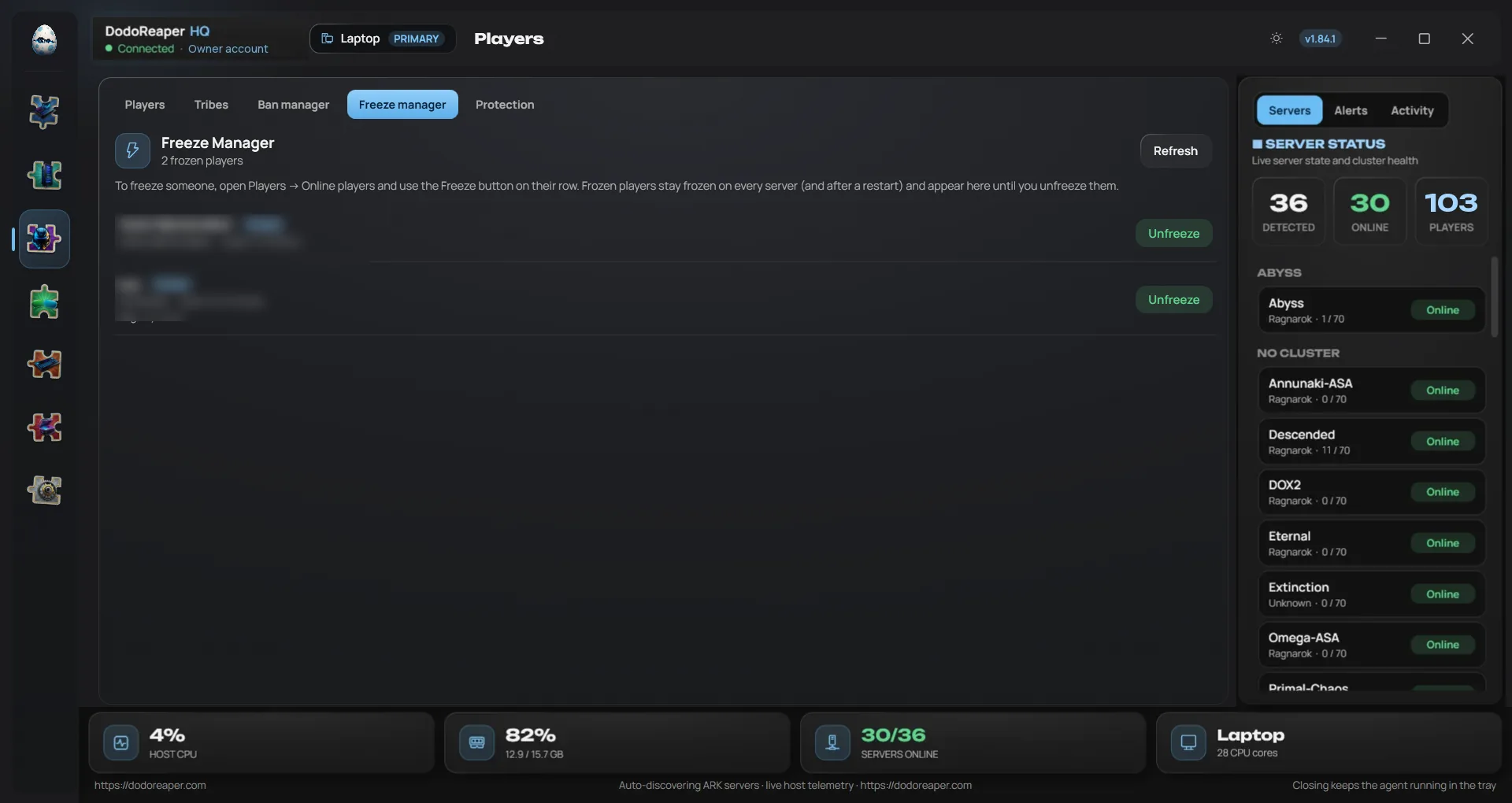
Every frozen player. A frozen player stays frozen on every server, and after a restart, until you press Unfreeze.
Protection
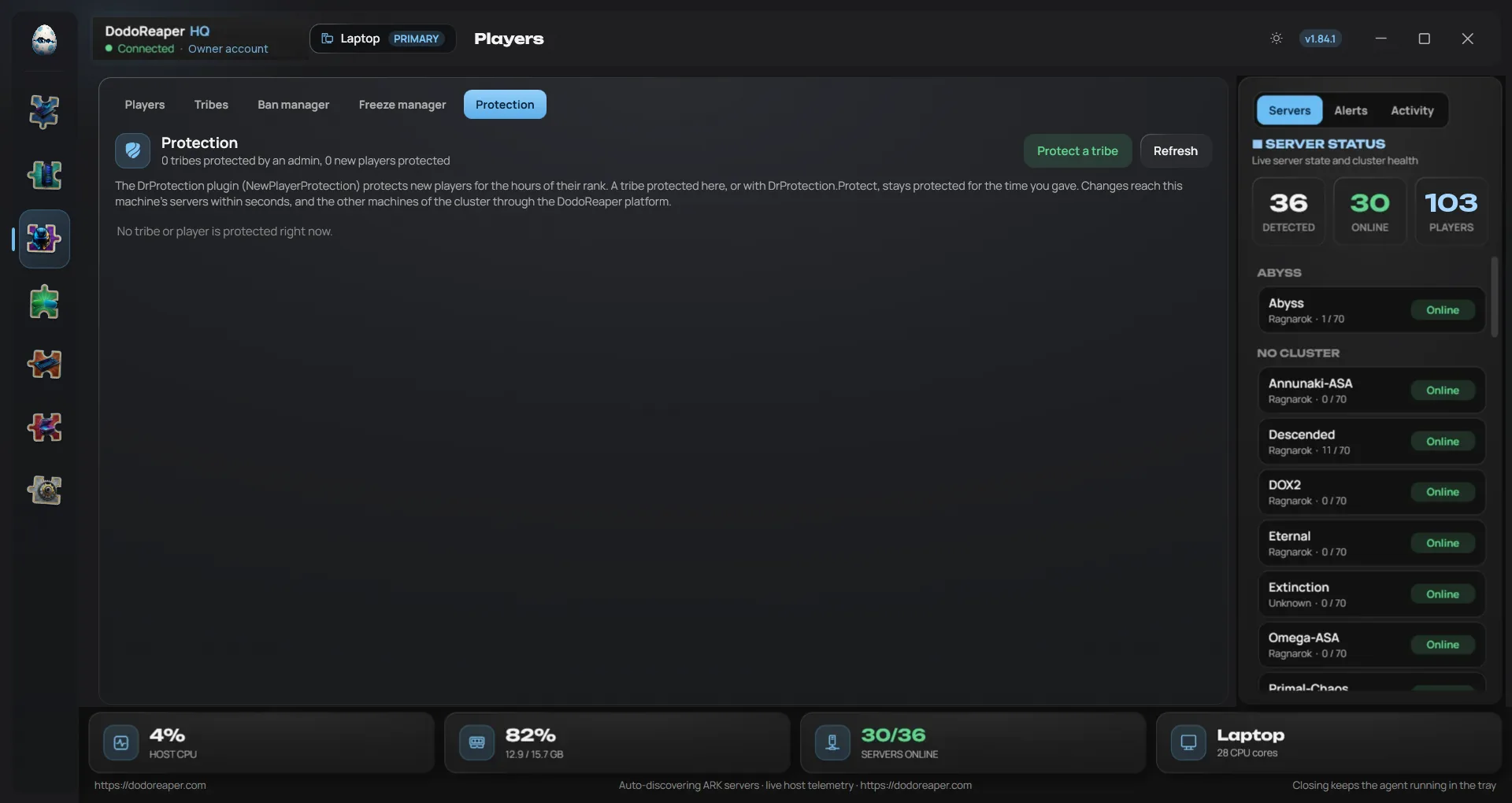
For DodoReaper Protection: the tribes an admin protected and the new players under protection, with the time left. Protect a tribe protects one by hand for the time you choose. A protection given here reaches every server of this machine within seconds, and the other machines of the cluster through the DodoReaper platform.
The same player actions are on the bot's right-click Player Actions menu in Discord.