
Panels
· Discord botPanels are bot messages with buttons. An admin posts each one in the channel where it should live.
| Command | Panel |
|---|---|
/linkpanel | Account link: players link their game account to Discord. |
/dailyfree | Daily Free rewards: daily points, rewards or a loot box. |
/verifypanel | Verify, built on the website. |
/playerspanel | The live players-list message. |
/ticketpanel | "Open a ticket". |
/voicepanel | Voice room controls. It can replace an earlier panel message of the bot instead of posting a new one. |
/adminpanel | Admin commands. |
/supervisorpanel | Admin actions plus ban and unban (supervisor). |
/ownerpanel | Full control (owner). |
Panel buttons for players include finding their character, kicking or killing their own survivor, notification settings (tribe log, giveaways, auctions, the wipe countdown), daily claims, their stats and points, opening a ticket and posting a suggestion.
The look of each panel (image, text, colour, footer) and your own custom panels are set on the dashboard's Panels page.
Account link
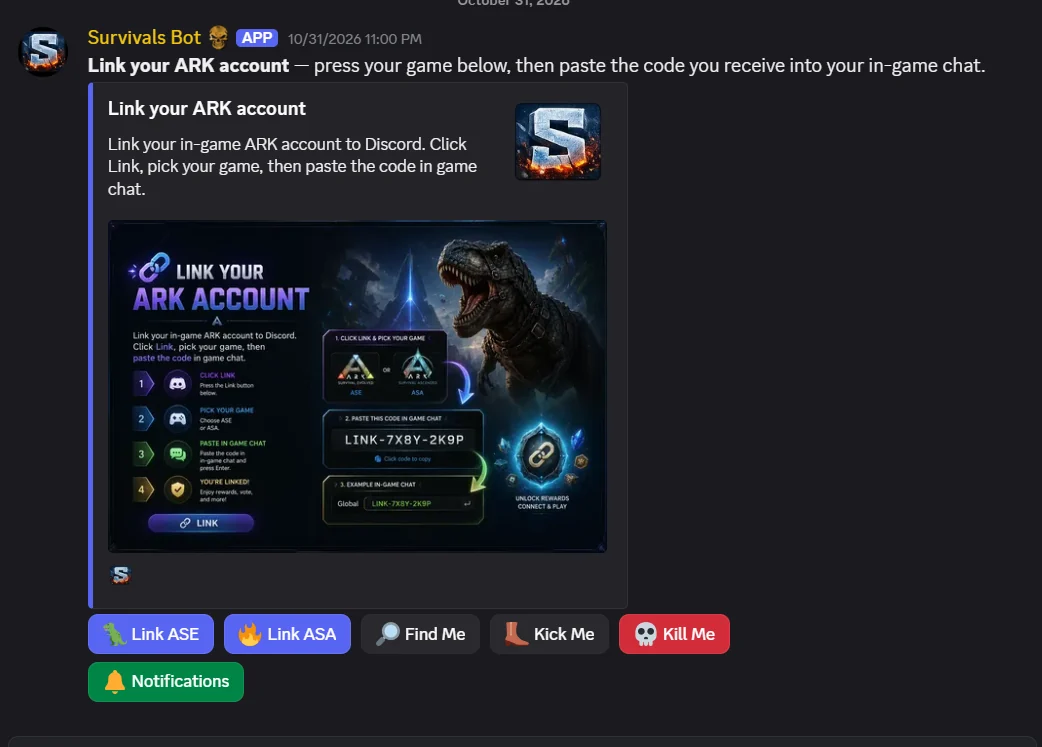
A player presses Link ASE or Link ASA, then pastes the code they get into in-game chat. Linking is what opens the other player features: daily rewards, giveaways, auctions, /mystats and /mypoints. The same message carries the player buttons, and each one needs a linked account:
- Find Me: the player's profile on both games: online or not, on which server and for how long, their character and tribe.
- Kick Me and Kill Me: for a stuck survivor. Kill Me asks first.
- Notifications: which messages the player gets by DM: the tribe log, giveaways, auctions and the wipe countdown.
Daily Free rewards
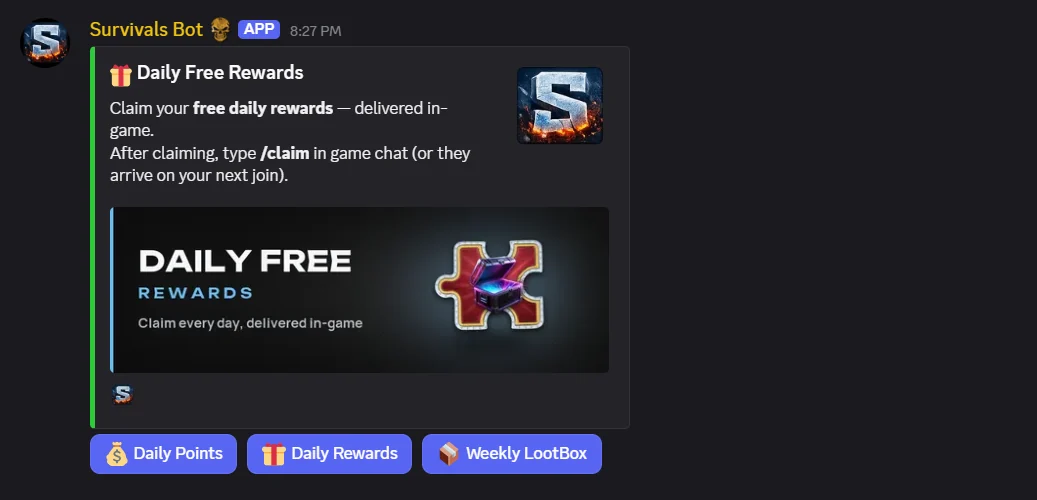
Linked players claim free rewards here, each button on its own cooldown. The reward arrives in game after /claim in chat, or when the player next joins. What each button gives follows the player's rank and is set in the Rewards plugin. The button names are yours to change: in this picture the loot box button is called Weekly LootBox.
Admin, Supervisor and Owner panels
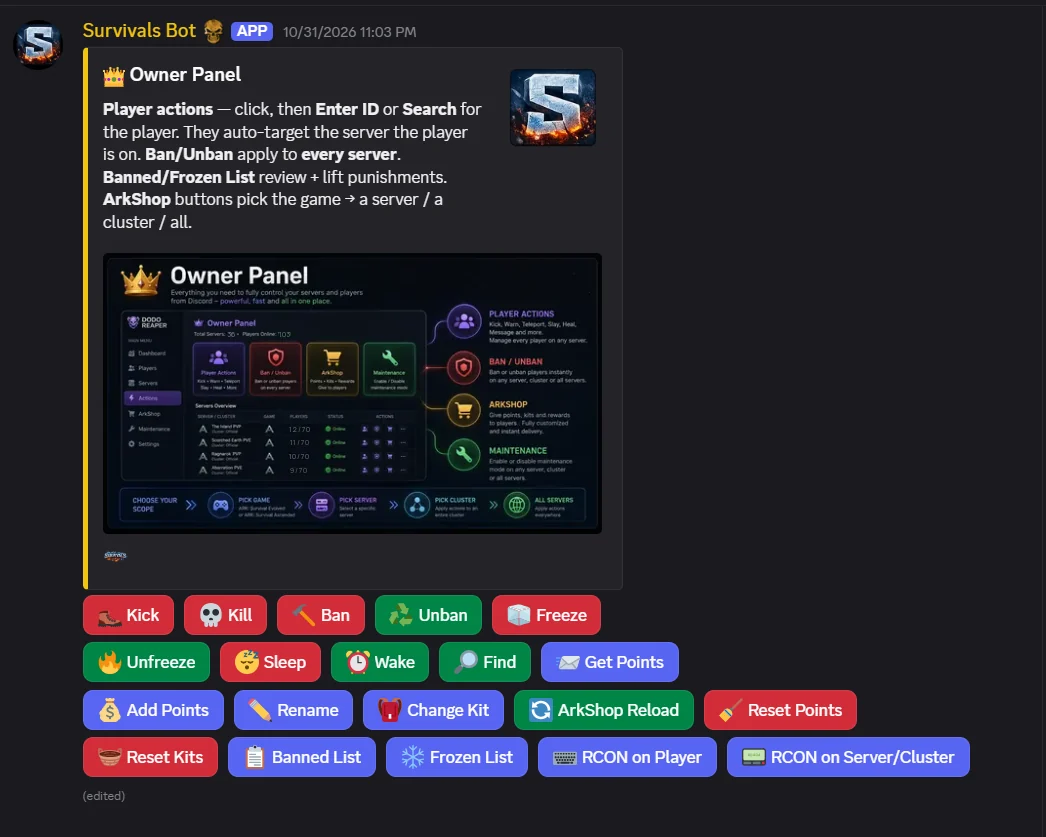
Three levels of one staff panel. Press an action, then Enter ID or Search for the player: the action goes to whichever server the player is on. Which Discord roles may use each level is set on the dashboard's Staff & chat page.
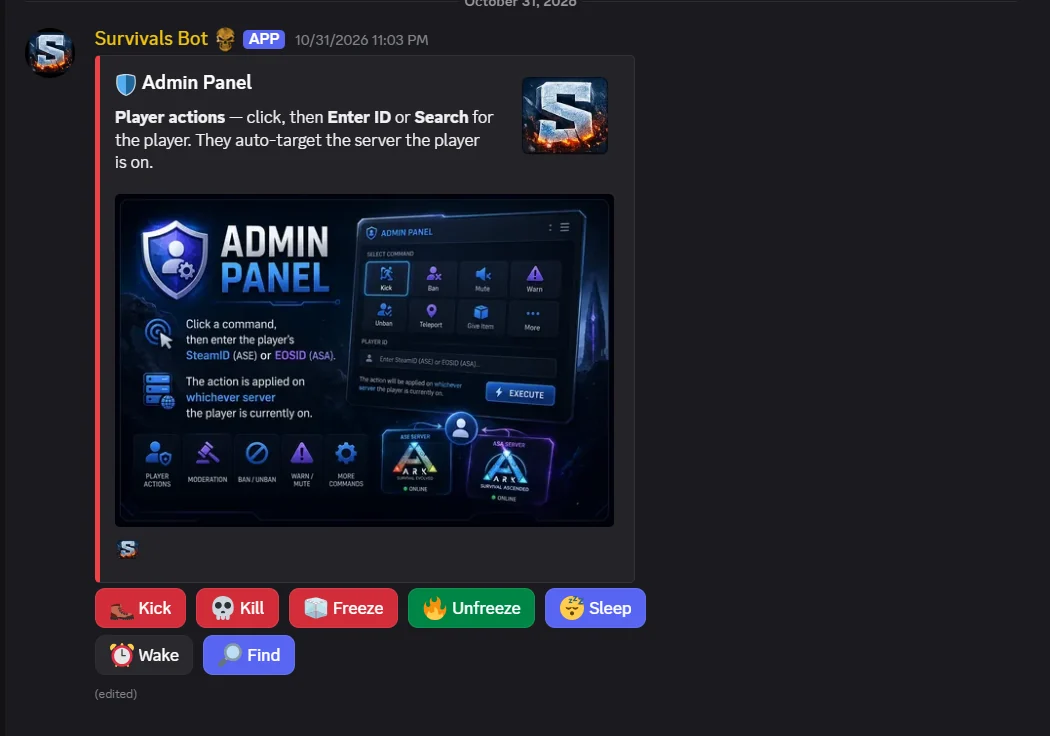
- Admin (
/adminpanel): Kick, Kill, Freeze and Unfreeze, Sleep and Wake, and Find.
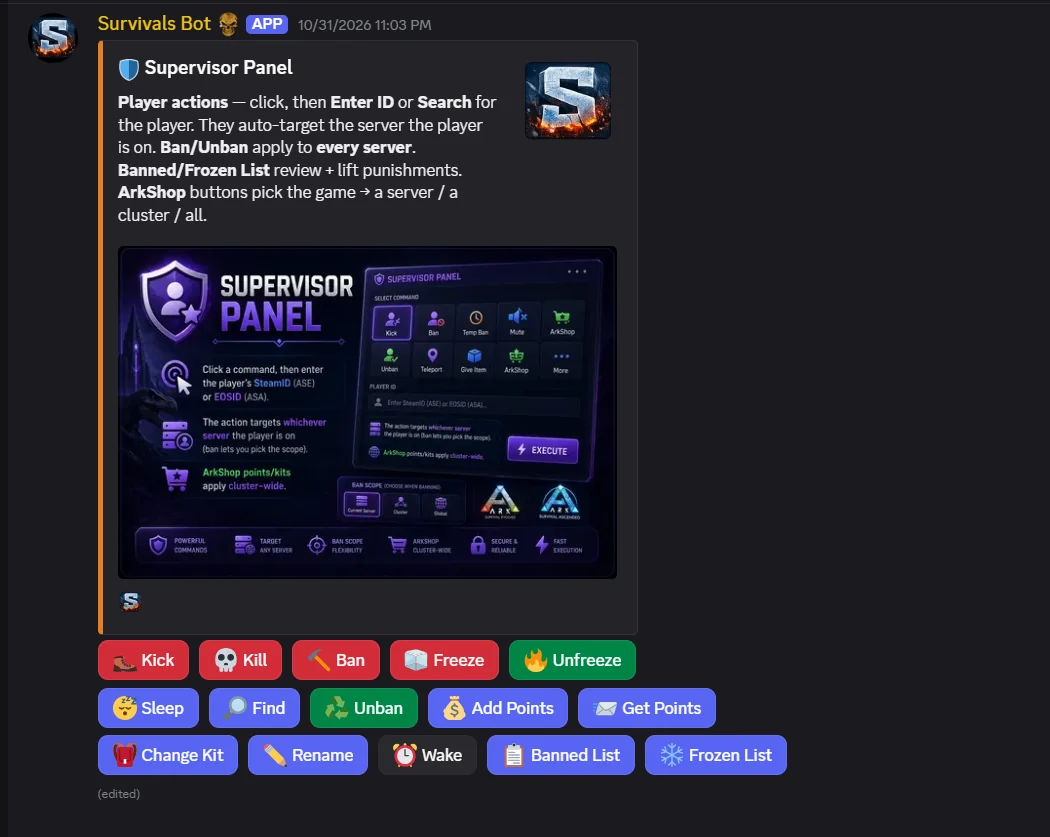
- Supervisor (
/supervisorpanel) adds Ban and Unban, which apply to every server, shop points (Add Points, Get Points), Change Kit and Rename, and the Banned List and Frozen List, where a punishment can be reviewed and lifted.
- Owner (
/ownerpanel) adds ArkShop Reload, Reset Points and Reset Kits, RCON on Player, and RCON on Server/Cluster. The ArkShop buttons first ask for the game, then a server, a cluster or all of them.
Your own panels
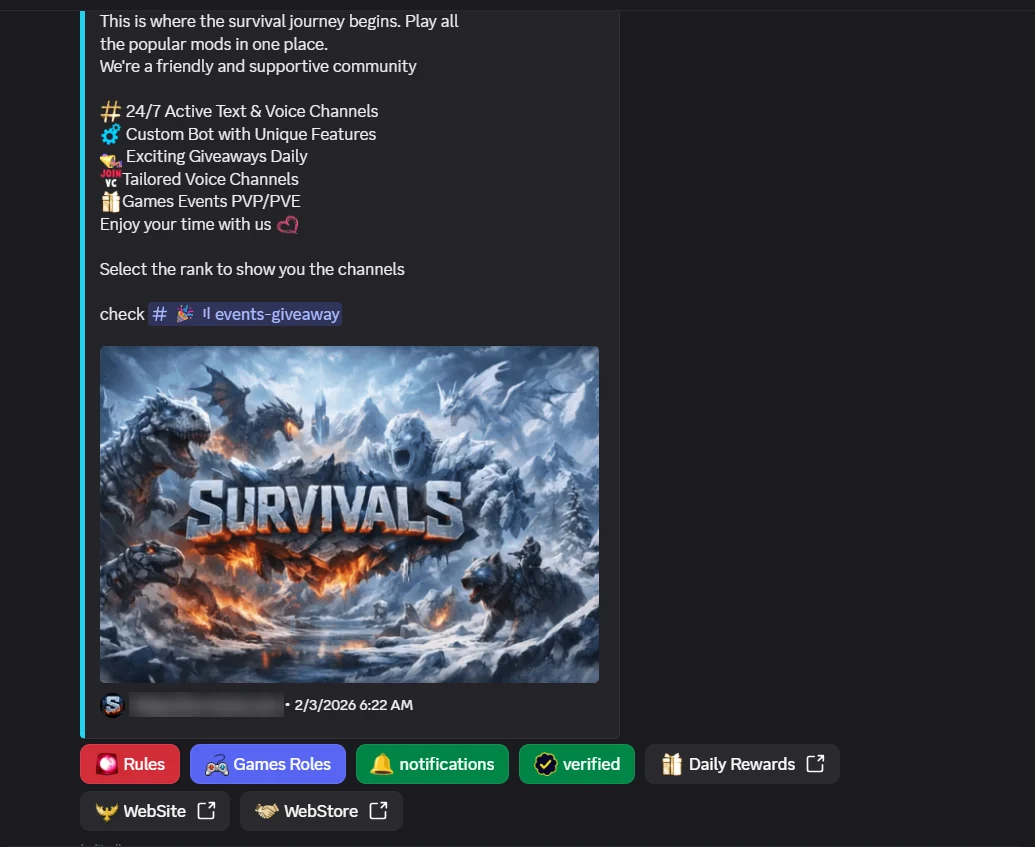
Custom panels are your own messages: your text and picture, with buttons that give roles, open private sub-panels, or link to channels and pages. This welcome panel has buttons for the rules, game roles, notifications and verification, and links to the daily rewards, the website and the store. They are made on the dashboard's Panels page.